How We Made the Stand × Hyperliquid Launch Film
A 53-second integration film built from Stand's real trading interface, a three-point brief, and a precise music cue.
From brief to final cut.
Give the film one announcement and three proof points
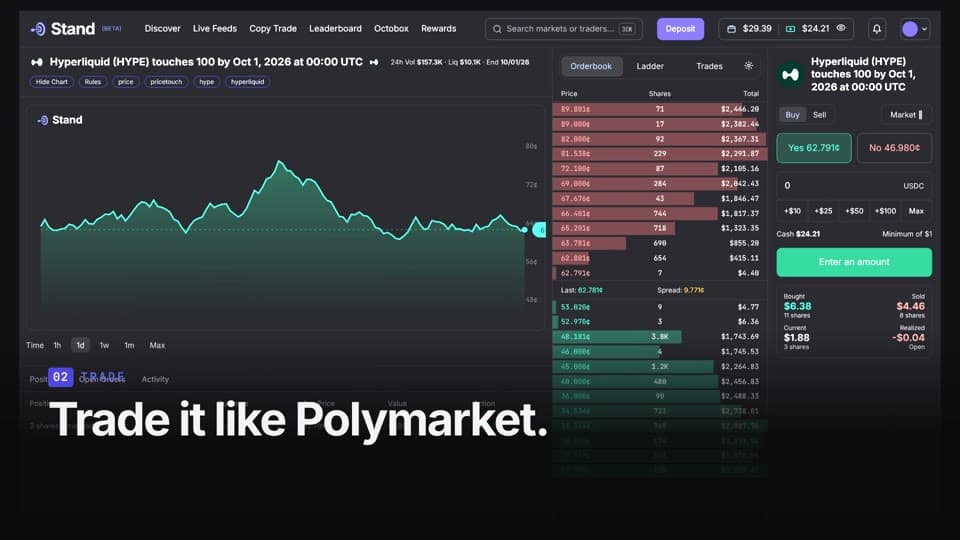
We asked Ghostmotion to announce that Hyperliquid outcome prediction markets were available on Stand. The brief specified what a viewer should see: Hyperliquid markets alongside Polymarket in Discover, a Hyperliquid market traded through Stand's order-book ladder, and positions on the profile page. We also pointed to each company's site for its own logo, type, and brand treatment.
Record the product path
In Ghostmotion's browser, we logged in to stand.trade, opened Discover, switched the filter to Hyperliquid markets, and opened a market. We sold a position from its order panel, checked Leaderboard, then visited a market's Ladder view. The recording took under three minutes and supplied the actual interface behind the film's trading sequence.
Fill the gaps with labeled references
The capture did not cover every Stand screen we wanted Ghostmotion to understand. We added three short screen recordings and screenshots showing Discover with Hyperliquid markets, a market page, and the profile's positions. Our instruction was to use these to understand the product and its components, without inserting the reference videos into the finished film.
Choose the music's starting point
We uploaded “SICKO MODE” and specified a start 48 seconds into the track. This gave Ghostmotion a defined musical section for the kinetic text and product transitions. The beat changes shaped the pacing, while the three points in the brief kept the edit centered on the integration.
Review the first version
The first version became the 53-second reel film without a feedback round. The brief had already named the three points to show, and the additional product references filled the gaps in the browser recording. That gave the initial edit a clear structure.
Three frames. One story.


Make the next cut better.
- Name the exact product changes the film should prove, then record the interface states that show them.
- Supply short, clearly labeled references for screens a browser capture misses, and say how those references may be used.
- Specify where the track should begin so the film can be paced around the musical moment you chose.